This article is related to below post where user reported missing ribbon issue after migration from SharePoint 2007 to 2013 version.
Scenario:
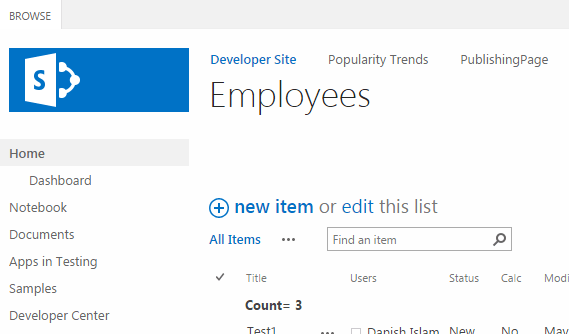
Ribbon not visible on SharePoint List/Library page load. Mostly reported after site migration from 2007 to 2010/2013 version. Also if you have added a content editor web part on this page.
02.<scripttype="text/javascript"> 03.$(document).ready(function(){04.var elem = document.getElementById("MSOZoneCell_WebPartWPQ2");05. if(elem != null) {06. var dummyevent = new Array();07. dummyevent["target"] = elem;08. dummyevent["srcElement"] = elem;09. WpClick(dummyevent);10. _ribbonStartInit("Ribbon.Browse", true)11. }12. });13.</script>Or if you don’t need that CEWP or JavaScript code on that page, simply remove the code or delete web part.
References:
- http://stackoverflow.com/questions/4848892/list-tools-tab-is-no-longer-available-after-adding-webpart-to-the-page

- http://sharepoint.stackexchange.com/questions/53431/cant-see-list-options-after-adding-content-editor
See Also:
Discover more from SharePointTechnicalSupport
Subscribe to get the latest posts sent to your email.
You must be logged in to post a comment.